RGUHS Thesis Topics: How to Choose Research Ideas for Your Study
Choosing the right RGUHS thesis topics is an important step for postgraduate and doctoral researchers. This guide explains topic selection, research gaps, feasibility checks, and academic preparation for successful thesis development.
Use the access route assigned by your institution, and keep your credentials private.
Finding the Right Thesis Direction Before Research Begins
Students searching for RGUHS thesis topics usually need more than a list of titles. A useful thesis topic should match the researcher’s area, available resources, ethical requirements, academic interest, and the expectations of Rajiv Gandhi University of Health Sciences research programs.
A strong topic starts with identifying a practical research problem. Researchers should examine current literature, understand unanswered questions, define a realistic scope, and discuss feasibility with supervisors before finalizing the proposal.
✓
Quick Answer: RGUHS Thesis Topics
RGUHS thesis topics should be specific, researchable, and connected to current healthcare challenges. Popular areas include clinical studies, public health, pharmacology, nursing research, dentistry, allied health sciences, medical technology, and healthcare management.
The best topic depends on your discipline, research question, access to data, ethical approval requirements, and available academic guidance.
Key Takeaways
Select a topic based on a clear research gap.
Review recent academic literature before final approval.
Consider data availability and ethical requirements.
Avoid topics that are too broad or difficult to complete.
Professional thesis editing can improve clarity and presentation.
What This Page Covers
How to choose thesis topics
Healthcare research areas
Common topic selection mistakes
Research feasibility checks
Academic writing preparation
Thesis improvement support
How to Choose RGUHS Thesis Topics Step by Step
Identify your specialization and research interest.
Review recent studies and locate knowledge gaps.
Evaluate resources, participants, tools, and timeline.
Refine the research question with supervisor feedback.
Examples of Research Topic Areas
Clinical Research
Patient outcome studies
Researchers may explore treatment effectiveness, disease patterns, or clinical practices using appropriate study designs.
Public Health
Community health studies
Topics may examine prevention programs, health awareness, epidemiology, or healthcare accessibility.
Academic Support
Thesis quality improvement
Researchers often need support with structure, language accuracy, formatting, and academic presentation.
Common Mistakes When Selecting Thesis Topics
Topic Selection Considerations
Challenge
Better Approach
Choosing a very broad topic
Narrow the scope into a measurable research question.
Ignoring available resources
Confirm data, tools, participants, and timeline.
Skipping literature review
Study previous research before finalizing the topic.
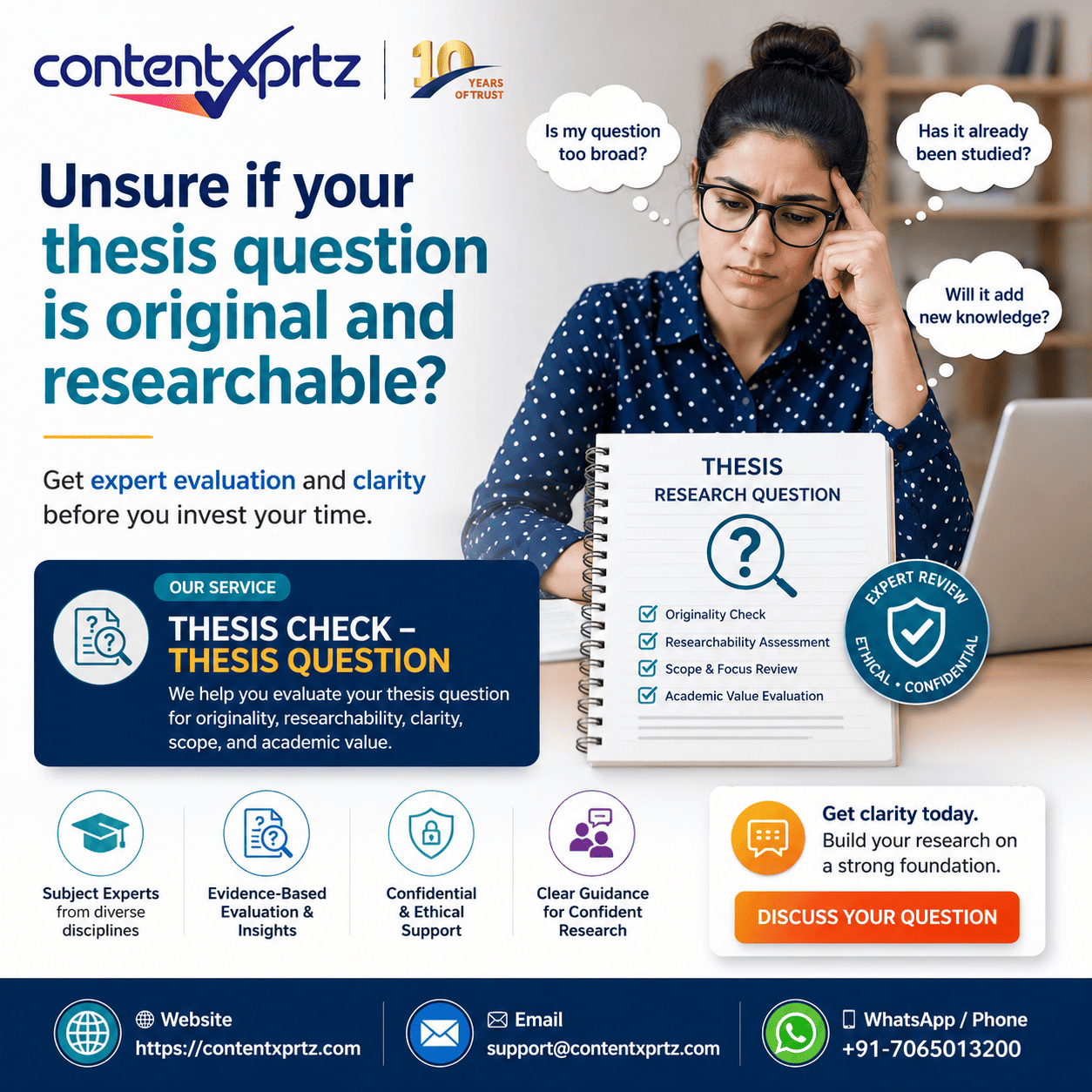
Need help preparing your thesis?
Contentxprtz supports researchers with ethical thesis editing, proofreading, and academic writing assistance.
The best RGUHS thesis topics are focused, practical, evidence-based, and aligned with academic requirements. Careful planning, literature review, and ethical academic support can help researchers develop stronger thesis documents.
Frequently Asked Questions
How do I select RGUHS thesis topics?
Choose a topic based on your specialization, research gap, feasibility, and supervisor guidance.
Can thesis topics be changed later?
Changes may be possible depending on university rules and approval processes.
Why is literature review important?
It helps identify existing knowledge and justify the need for your research.
Prof. Henry Lawson
Academic Research & Writing Consultant
Provides guidance on academic communication, research writing, and publication-ready document improvement.
Example 2
A First-Time Researcher Receives a High Similarity Percentage
Situation: A researcher successfully logs in and uploads a manuscript draft. The report shows many matches in the method section and references.
Common confusion: The researcher assumes the entire paper is plagiarized and begins replacing technical terms with inaccurate synonyms.
Correct approach: The researcher reviews each match. References and standard terminology are treated differently from uncited source-like sentences. A few patchwritten passages are rewritten from notes with accurate citations.
Ethical support: A publication editor improves clarity and source integration without promising a specific score or journal decision.
Example 3
An ESL Student Shares a Password With a Friend
Situation: A postgraduate student cannot access a course assignment and sends login details to a classmate for help.
Common mistake: The student exposes personal records and creates uncertainty about who accessed the account.
Correct approach: The password is changed immediately. The student contacts the university help desk, explains the LMS error, and provides a screenshot without credentials. The assignment becomes visible after the course enrollment is corrected.
Ethical support: Language help is provided through a copy of the document, not through account impersonation or unauthorized submission.
Turnitin Login and Submission Checklist
Use this checklist before a deadline. It separates access, enrollment, file preparation, submission, and report review.
Before Login
Confirm whether access is direct, LMS-based, SSO-based, or through a tenant URL.
Use the institutional email, username, and product named in the instructions.
Keep the class ID, enrollment key, password, and multifactor codes private.
Check that the browser allows required cookies for the authorized domain.
After Login
Verify the current class, course section, assignment title, and due date.
Read the file, resubmission, and report-visibility rules.
Open the final file and confirm figures, tables, equations, and references.
Upload only through the authorized assignment.
After Submission
Review the preview and complete the confirmation step.
Save the digital receipt or submission ID.
Interpret matches in context rather than targeting an arbitrary percentage.
Correct citation, quotation, paraphrasing, and reference problems before resubmitting.
How Contentxprtz Can Help After Turnitin Access
Contentxprtz supports authors who need to improve the academic quality behind a similarity report. The service is not a substitute for authorized Turnitin access, and it does not provide shared credentials or guarantee a particular score. Instead, editors work with the author’s document and sources to identify practical improvements.
Relevant support may include reviewing citation and reference consistency, identifying patchwriting, improving paraphrases, correcting grammar, strengthening paragraph logic, checking quotation treatment, and clarifying where source acknowledgment is needed. For theses and dissertations, the review can be aligned with university formatting and editing rules. For journal manuscripts, the focus can include language, source integration, and submission readiness.
A useful starting point is an academic manuscript assessment when you are unsure whether the main issue is language, structure, citation, or publication preparation. A focused dissertation proofreading review may be more suitable when the argument is complete but the document needs consistent language and presentation.
Improve the Document, Not Just the Percentage
Request ethical editing that preserves your ideas, evidence, and responsibility as the author.
To log into Turnitin, first identify the access route assigned by your institution. Direct users select the instructor-or-student login and enter the profile email and password. LMS users begin inside the university course. Single sign-on users authenticate through the institution, while Similarity or SimCheck users may need a unique tenant URL and username.
First-time students may receive a welcome email or self-enroll with a class ID and case-sensitive enrollment key. When access fails, verify the route, account identifier, cookies, course enrollment, assignment dates, and password before creating another account. Keep credentials private and save evidence of successful submissions.
After login, treat the similarity report as a diagnostic tool. Review quotation, citation, paraphrasing, references, and legitimate technical overlap. Academic editing can help improve clarity and source integration, but the author remains responsible for the ideas, evidence, citations, and final submission.
Frequently Asked Questions
Questions About Logging Into Turnitin
These answers address the most common decisions students, researchers, and instructors face before and after accessing Turnitin.
How do I log into Turnitin as a student?
Start with the access route your institution has given you. If your university uses Turnitin directly, go to the official Turnitin website, choose Log In, select the instructor-or-student option, and enter the email address and password connected to your Turnitin profile. If your course uses Canvas, Moodle, Blackboard, Brightspace, or another learning management system, sign in to that platform first and open the relevant course assignment; you may not need a separate Turnitin password. Some institutions instead use single sign-on, where you select your institution and authenticate with your university credentials.
If you have never created a direct Turnitin account, do not repeatedly try random passwords. Check for a welcome email from Turnitin or ask your instructor whether you should self-enrol using a class ID and case-sensitive enrollment key. Use only credentials and class information issued to you. After signing in, confirm that the correct class and assignment are visible before uploading. If they are missing, the issue may be enrollment, assignment dates, or the wrong account rather than a login failure.
Can I log into Turnitin through my university portal or LMS?
Yes. Many students access Turnitin through a university portal or learning management system rather than the public Turnitin login page. In this arrangement, the institution connects Turnitin to a course space in systems such as Canvas, Moodle, Blackboard, Brightspace, or another supported platform. You sign in with your institutional account, open the course, locate the assignment, and follow the submission link. The Turnitin interface may open inside the course or in a new browser window.
This route is often the correct one when a direct Turnitin login says your account is unknown. Your LMS identity and your direct Turnitin profile may not be interchangeable. Avoid creating a second account unless your instructor or university support team specifically tells you to do so, because duplicate accounts can make classes and submissions appear in different places. If the assignment link is missing, confirm the correct course section, availability dates, and submission instructions. Take a screenshot of any error message and contact the course instructor or institutional help desk with the course name, assignment title, browser, and time of the problem.
What do I need to create a Turnitin student account?
For direct self-enrollment, you generally need a valid class ID and a case-sensitive enrollment key provided by your instructor. You also need your name, an email address you can access, and a secure password. The class ID identifies the course, while the enrollment key authorizes you to join it. Treat the key like a password: do not post it publicly or share it with people who are not enrolled in the class.
Another route is instructor enrollment. Your instructor may add your name and email address to the class, after which Turnitin sends a welcome message with account-setup instructions. Check your spam or junk folder before concluding that the email was not sent. Some institutions use single sign-on and create or map accounts when you authenticate through the university identity system. Because institutional setups differ, follow the route described in your course handbook or assignment instructions. If you already have a Turnitin profile, use the same email address where possible and ask support before creating a duplicate account.
Why can I log in but not see my class or assignment?
A successful login only confirms access to an account; it does not guarantee that the account is enrolled in the correct class or that an assignment is currently available. First, compare the email address or username shown in your profile with the account your instructor enrolled. Then check whether you are viewing the current class rather than an expired class from an earlier term. Assignment start dates, due dates, post dates, and instructor settings can also affect what appears.
If you use an LMS, return to the course and open the assignment from the course page instead of navigating through a separate Turnitin dashboard. If you joined with a class ID and enrollment key, verify both with the instructor because enrollment keys are case sensitive. Do not upload to a similarly named assignment just to meet a deadline; that can create an administrative problem. Contact the instructor promptly and include your full name, institutional email, course code, assignment title, and a screenshot. Keep a dated copy of your completed file and your support message as evidence that you attempted to submit on time.
How do I reset a forgotten Turnitin password?
Use the password-reset link on the official Turnitin login page. Enter the email address associated with your profile, then look for the reset message in your inbox and spam folder. Open the link promptly because reset links can expire. Create a strong password that meets the requirements shown on the reset screen and store it securely. Never send your password to an instructor, editor, classmate, or support representative.
If no email arrives, check whether you entered the same address used when the account was created. Search your inbox for earlier Turnitin welcome messages to confirm the address. Institutional filters may block automated messages, so ask your IT team whether Turnitin domains are allowed. If you normally access Turnitin through an LMS or single sign-on, resetting a direct Turnitin password may not solve the issue; you may need to reset your university account instead. Avoid repeated failed attempts, which can trigger temporary security restrictions. Use the official support route if you cannot identify the correct account.
What should I do if Turnitin says my email or password is incorrect?
Check the access method before changing anything. A student who normally enters through a university portal may not have a usable direct-login password. A Turnitin Similarity or SimCheck account may use an institution-specific tenant URL and a username that is not the user’s email address. For standard Feedback Studio access, verify spelling, keyboard language, capitalization, saved-password autofill, and whether the browser is inserting an old credential.
Try a private browsing window, allow essential cookies, and manually type the credentials once. If that fails, use the official password-reset process rather than guessing repeatedly. Confirm that you are using the correct regional or institutional link. Do not create a new profile merely because one login attempt failed; a duplicate account can separate your class enrollment from your new credentials. If the problem continues, record the exact error message and contact institutional support. Include the login route, account email or username, product name, browser, and whether classmates are experiencing the same problem.
Can an individual buy a Turnitin student login?
Turnitin access is commonly provided through licensed educational institutions, instructors, publishers, or organizations rather than sold as an unrestricted personal student account. A student should use the route authorized by the university or course. Be cautious of websites or individuals selling shared Turnitin credentials, unofficial “student accounts,” or downloadable reports. Shared accounts may violate platform terms, expose your manuscript, compromise personal data, or place your work in an unexpected repository.
Researchers who need similarity checking outside a class should ask their university library, research office, supervisor, publisher, or institutional administrator what licensed option is available. Some research workflows use iThenticate, which is a separate product intended for high-stakes scholarly and professional content. Access and submission behavior can vary by license and configuration, so confirm where a document will be stored and how the report will be used before uploading. Contentxprtz can help interpret originality concerns and improve citation, paraphrasing, and academic presentation, but it does not replace authorized platform access or institutional policy.
Does logging into Turnitin automatically check my paper?
No. Logging in only gives you access to the account, class, or assignment area. A similarity check occurs after a document is submitted to an assignment or uploaded through an authorized workflow. Depending on the instructor’s settings, the report may appear quickly, may be delayed, or may not be visible to students. Resubmissions may also be limited or processed differently. Always read the assignment instructions before uploading a draft.
A similarity percentage is not a plagiarism verdict. It indicates text overlap with sources in Turnitin’s comparison databases and must be interpreted in context. Quotations, reference lists, standard terminology, templates, and correctly cited passages can contribute to matches. Conversely, a low percentage does not prove that every source has been acknowledged correctly. Review the highlighted matches, verify each citation, inspect paraphrases, and follow your institution’s academic-integrity rules. Use the report as a diagnostic aid, not as a score to manipulate.
Is it safe to share my Turnitin login with an editor or classmate?
No. Keep your Turnitin credentials private. Sharing a login can expose personal information, assignment records, instructor feedback, and unpublished work. It may also breach institutional security rules or the platform’s terms. An editor or classmate does not need your password to help improve a document. Share only the manuscript version and, where permitted, a downloaded similarity report with sensitive information removed.
For ethical editing, the author should remain in control of the account and final submission. An editor can explain matched passages, flag missing citations, improve language, and suggest clearer paraphrasing without impersonating the student or submitting on the student’s behalf. If technical assistance is required, use screen sharing only under institutional rules and avoid revealing passwords. Change your password immediately if it has been shared or entered on an untrusted site, and notify institutional support if you suspect unauthorized access.
How can Contentxprtz help after I log into Turnitin?
Contentxprtz can help you understand what a similarity report does and does not show, then improve the document through ethical academic editing. Support may include checking citation consistency, identifying weak paraphrases, improving sentence clarity, reviewing reference-list alignment, reducing accidental patchwriting, and polishing language without changing the author’s ideas or research claims. The goal is not to chase an arbitrary similarity percentage or disguise copied text.
You remain responsible for the research, evidence, citations, authorship, and final submission. A qualified editor should work from your source material and explain meaningful changes. For a thesis, dissertation, research paper, or manuscript, Contentxprtz can combine proofreading with a focused originality and integrity review when that service is relevant. Before sharing a report, remove unnecessary personal or institutional information and confirm that your university allows external editing. Publication and grading outcomes still depend on the quality of the work, institutional policy, journal scope, reviewer judgment, and your own academic decisions.
Use the Correct Access Route and Protect Your Academic Work
The safest way to log into Turnitin is to follow the route provided by your institution, use only authorized credentials, and avoid creating duplicate accounts. Once access is working, verify the class and assignment, submit the correct file, and keep the digital receipt.
Self-service troubleshooting is often enough for a forgotten password, blocked cookie, or wrong login page. Institutional help is safer when the class is missing, SSO mapping fails, or an LMS assignment is unavailable. Expert academic editing becomes useful when the report reveals weak paraphrasing, inconsistent citations, unclear language, or structural problems that cannot be solved by changing a few words.
Contentxprtz helps students, PhD scholars, researchers, and authors improve clarity, structure, ethics, and publication readiness while preserving the author’s ideas and responsibility. Publication, grading, and approval decisions still depend on the quality of the work and the relevant institutional or journal standards.
“At Contentxprtz, we don’t just edit; we help ideas reach their fullest potential.”