Turnitin Website: How It Works for Students and Researchers
The Turnitin website is often the final checkpoint before a student submits an assignment, a PhD scholar deposits a thesis, or a researcher sends a manuscript for institutional review. Yet many users arrive at the platform with the wrong expectation: they believe Turnitin delivers a simple “plagiarised” or “not plagiarised” verdict. In practice, Turnitin is an institution-licensed academic integrity system that compares submitted text with selected sources and presents matches in a Similarity Report. The report can support better citation, paraphrasing, source integration, and feedback, but it still requires informed human interpretation.
This distinction matters because a similarity percentage can be misunderstood in both directions. A low score is not automatic proof of originality, and a high score is not automatic proof of misconduct. References, quotations, standard methods language, assignment templates, legislation, technical terminology, and an author’s own earlier submission may all create matching text. At the same time, unattributed ideas, translated copying, fabricated references, inappropriate collaboration, or AI-assisted writing may require investigation even when the visible text match is limited. University rules, disciplinary conventions, assignment design, and instructor judgment remain central.
Access also causes confusion. Turnitin Feedback Studio and Turnitin Similarity are generally purchased by institutions rather than individual students. A learner may enter through the official Turnitin login, a class ID and enrollment key, or a learning management system such as Canvas, Moodle, Blackboard, or Google Classroom. What the student can see—submission options, resubmissions, Similarity Reports, grades, and feedback—depends on institutional licensing and assignment settings. Researchers checking unpublished theses or manuscripts must also understand repository choices, privacy, file requirements, and the risk of self-matching against an earlier stored draft.
This people-first guide explains what the Turnitin website does, how to log in and submit responsibly, how to read a Similarity Report, what an “acceptable” score really means, how repository and AI-writing settings affect interpretation, and when academic editing may help. It is designed for students, doctoral candidates, researchers, instructors, and professional authors who need practical guidance rather than a shortcut. Where deeper revision is required, Contentxprtz can provide ethical plagiarism and AI integrity support while preserving the author’s ideas, evidence, citations, and responsibility.
Quick Answer: What Is the Turnitin Website?
The Turnitin website is a web-based academic integrity and assessment platform used mainly through schools, universities, publishers, and research organizations. It accepts authorized submissions, compares text with the sources selected for an assignment, and produces a Similarity Report that highlights matching passages and identifies possible sources.
Students normally access Turnitin through their institution, either at the official website or inside a learning management system. After submitting, they may be able to open the report, review matches, receive feedback, resubmit, or download a receipt, depending on the instructor’s settings. Individual access to Turnitin Feedback Studio is not generally sold directly to students.
The key caution is that similarity is not the same as plagiarism. Turnitin identifies textual overlap; an educator or authorized reviewer must decide whether a match is correctly quoted, properly cited, expected, accidental, or potentially improper. Use the report to improve academic writing, not simply to force the number below an arbitrary threshold.
Key Takeaways
- Turnitin access is usually provided by an educational institution rather than purchased by an individual student.
- A Similarity Report highlights matching text; it does not independently determine plagiarism or academic misconduct.
- There is no universal “safe” similarity score because document type, discipline, citations, templates, and assignment settings matter.
- Students should inspect the source and context of each important match instead of focusing only on the overall percentage.
- Repository settings can determine whether a submission is stored and may later match a revised version.
- AI-writing indicators have limitations and should be interpreted with human judgment and institutional policy.
- Ethical editing improves clarity, attribution, and citation consistency without hiding copied material or replacing the author’s thinking.
What This Page Covers
- What Turnitin is and what the website can and cannot decide
- How students obtain access, log in, join a class, and submit work
- How the Similarity Report, score, source matches, and exclusions work
- File requirements, resubmissions, digital receipts, and troubleshooting
- Repository storage, privacy, self-matches, and unpublished research
- AI-writing indicators, academic integrity, and responsible interpretation
- Practical revision examples, a submission checklist, and relevant expert support
Table of Contents
Methodology and Academic Sources
This guide is based on current official Turnitin documentation for institutional subscriptions, student registration, submissions, Similarity Reports, file requirements, repository settings, and AI-writing indicators. Readers should verify the live interface because product versions, licensing, regional access, and institutional integrations can change. The official Turnitin guide to accessing a Similarity Report explains the direct website route, while Turnitin’s guidance on similarity scores and plagiarism confirms that the score is not a plagiarism decision.
Academic integrity expectations vary by university, discipline, assignment, thesis policy, publisher, and document type. Authors should check institutional rules and, where publication is involved, apply recognized principles of transparent attribution and author responsibility such as the Committee on Publication Ethics guidance. Contentxprtz can assist with ethical academic editing services, but source selection, research claims, data, citations, and final submission remain the author’s responsibility.
What the Turnitin Website Means in an Academic Context
Turnitin is best understood as an academic workflow platform rather than a single public plagiarism checker. Institutions license products and connect them to courses, assignments, grading systems, research offices, or publication processes. The exact student experience depends on whether Turnitin is opened directly in a browser or launched inside an institutional learning management system.
Who can access Turnitin?
Turnitin Feedback Studio and Similarity are designed primarily for institutional use. Students receive access through their school or university. An instructor may enroll a student directly, or the student may create a profile with a class ID and case-sensitive enrollment key. In an LMS integration, institutional sign-on can replace the separate Turnitin login. Researchers without institutional access should not assume that a cheap shared account is legitimate; Turnitin’s official subscription guidance states that individual licenses are not offered for these products.
What happens after a document is submitted?
The system extracts readable text and compares it with the databases selected for the assignment. Those sources can include current and archived internet content, academic publications, student-paper repositories, and an institution’s private repository. The report shows an overall percentage and links highlighted passages to possible sources. Assignment settings can affect when the report appears, whether students can view it, whether resubmission is allowed, which sources are compared, and whether the paper is stored.
| Function | What it provides | What it cannot decide alone |
|---|---|---|
| Submission portal | Authorized upload, preview, receipt, submission ID, and assignment record | Whether the work meets every course or thesis requirement |
| Similarity Report | Matched passages, source links, match groups, and an overall score | Whether plagiarism occurred or whether the author intended misconduct |
| Feedback and grading | Comments, rubrics, marks, and educator feedback where enabled | Whether every recommendation is compulsory outside the assignment policy |
| Repository options | General storage, institutional storage, or no repository where available | Whether a particular storage choice is suitable for confidential research |
| AI-writing indicator | A signal that qualifying text may have characteristics associated with AI writing | Definitive proof of AI use or academic misconduct |
The academic value comes from the full workflow. A report is most useful when the student or researcher reads the source matches, checks citations, revises genuinely, and discusses ambiguous cases with an instructor, supervisor, librarian, or editor.
Why Students, PhD Scholars, and Researchers Use Turnitin
People use Turnitin because it makes source overlap visible before or during academic evaluation. The platform can support formative learning, final assessment, thesis quality control, and research-integrity review, but each group uses the result differently.
For coursework and student assignments
A student can confirm that an upload was completed, examine matching passages where reports are visible, and revise poor paraphrasing or missing citations when resubmission is allowed. This is most educational when the instructor explains how to read sources rather than treating one threshold as a pass-or-fail rule.
For theses and dissertations
Doctoral documents contain literature reviews, standard methods, instrument descriptions, published chapters, and extensive references. These sections can create legitimate matches. A graduate school may use Turnitin as one part of a thesis review, but university policies determine whether earlier publications, common methodology, or self-reuse require citation, permission, explanation, or exclusion. Large documents often benefit from chapter-level revision and consistent thesis editing support.
For research manuscripts
Researchers may use institutional similarity checking to identify close wording, unattributed source use, duplicated material, or overlap with their own previous publications. Journals and publishers apply their own editorial policies, so a report should be used to review the context and not to predict acceptance. Proper reuse may require citation, quotation, disclosure, permission, or rewriting, depending on the material.
For instructors and institutions
Educators use the Similarity Report to guide conversations about quoting, paraphrasing, citation, collaboration, and authorship. Institutions also use repository controls, assignment settings, feedback tools, and audit records to support consistent academic processes.
Free, Institutional, and Professional Options
The right option depends on the document, your authorization, privacy needs, and the decision you must make. Free grammar tools and web searches can support preliminary revision, but they do not reproduce an institution’s Turnitin configuration or academic judgment.
| Option | Best use | Strength | Important limitation |
|---|---|---|---|
| Institutional Turnitin assignment | Coursework, thesis checks, authorized research workflows | Official assignment record and configured Similarity Report | Access, visibility, storage, and resubmission depend on institutional settings |
| Supervisor or writing-centre review | Developing paraphrasing, argument, and source use | Contextual human explanation | Availability and turnaround may be limited |
| Reference manager and manual audit | Checking citation completeness and consistency | Author-controlled and traceable | Does not automatically find every textual overlap |
| Free grammar or style tool | Surface-level wording and readability checks | Immediate and low-cost | Cannot determine academic integrity or repository overlap |
| Ethical professional editing | Complex thesis, ESL manuscript, repeated citation and paraphrasing issues | Structured language, citation, and integrity review | Must follow institutional policy and preserve author responsibility |
When Self-Service Review Is Enough and When Expert Help Is Safer
Self-service review is usually enough when the report contains a small number of understandable matches, the sources are available, and you can explain why each passage is quoted, paraphrased, cited, or standard. Work systematically: open the source, compare the wording, check the citation, revise the surrounding sentence, and document any permitted reuse.
Expert help becomes useful when the same problem appears throughout a long document; references are inconsistent; paraphrasing changes terminology or meaning; an ESL manuscript is difficult to revise safely; a thesis includes published papers; or the institution requires a formal similarity response. In those cases, an academic editor can identify patterns and create a revision plan. Ethical support should never promise “zero similarity,” hide copied text, fabricate citations, or guarantee approval. Contentxprtz offers academic proofreading support that focuses on clarity, attribution, and document readiness.
How to Use the Turnitin Website: Step by Step
1. Confirm the authorized access route
Read the assignment or institutional instructions. Some users log in directly to Turnitin; others must launch the assignment from an LMS. Using the wrong route can create a missing class, duplicate profile, or submission outside the required course record.
2. Join the correct class or assignment
For direct access, use the class ID and case-sensitive enrollment key supplied privately by the instructor. Never use a code found on a public forum. Confirm the class name, instructor, assignment title, due date, and whether late submission or resubmission is allowed.
3. Read the originality and AI policy before uploading
Check whether drafts may be submitted, whether the report will be visible, how AI tools may be used, and what external editing is permitted. A course policy can be stricter than general guidance, and a thesis office may have different rules from a journal.
4. Prepare a technically suitable file
Use a supported text-based format and ensure that the document contains selectable text. Current Turnitin guidance states that similarity-checkable submissions generally must be under 100 MB, under 800 pages, and contain at least 20 words. Check the live Turnitin file requirements because accepted formats and limits may change.
5. Remove accidental submission risks
Confirm that the document is the final intended version. Delete tracked comments or hidden material that should not be assessed, accept or reject tracked changes as required, and verify that the title page, appendices, references, figures, and equations render correctly. Do not remove legitimate citations to reduce the score.
6. Upload, preview, and submit
Select the authorized upload method, add the correct submission title, and review the preview. The preview step is important because a converted PDF or cloud file may display differently from the original. Complete the final submit action rather than assuming that upload alone finished the process.
7. Save the digital receipt and submission ID
A successful submission should produce a confirmation and a digital receipt. Save it immediately. The receipt is evidence that the file entered the assignment before the deadline and is useful if the score, timestamp, or document later appears incorrectly.
8. Wait for the report according to assignment settings
Some reports appear quickly; others are delayed until a due date or held back from student view. A resubmitted document may take longer to generate a fresh report. Do not repeatedly upload different files unless the assignment explicitly allows it.
9. Open the report and review matches in context
Start with the largest source matches, then examine repeated smaller patterns. Check whether the text is a quotation, reference entry, template, common phrase, close paraphrase, or uncited copying. Review the source itself rather than relying only on the color or percentage.
10. Revise the academic writing, not merely the score
Strengthen the author’s explanation, integrate evidence, cite the source, use quotation marks where needed, and paraphrase from understanding. Keep the source meaning accurate. Artificial synonym replacement can damage clarity and still leave the intellectual borrowing unattributed.
11. Check the new report carefully after resubmission
Compare the actual matches rather than assuming a lower score means a better document. If the new version matches the earlier draft, ask whether repository storage caused a self-match. Preserve receipts and version history.
12. Escalate ambiguous cases appropriately
Ask the instructor, supervisor, academic integrity office, librarian, or research administrator about policy questions. Use professional research support for complex language and citation revision, not to bypass institutional oversight.
How to Read a Turnitin Similarity Report Correctly
The report should be read as a map of textual overlap. The overall score gives scale, but the source-level detail explains the academic significance.
Begin with the source, not the color
Open each large match and compare it with the highlighted passage. Determine whether the wording is identical, closely paraphrased, correctly quoted, or only a common phrase. A single long uncited match may matter more than many small legitimate matches.
Distinguish similarity from plagiarism
Turnitin’s own student guidance states that it compares a submission with its databases and highlights similar text; it does not itself “check for plagiarism.” Plagiarism requires interpretation of attribution, permission, context, intent, and policy. A score cannot provide that judgment on its own.
Understand match groups and overlapping sources
A passage can appear on several websites because one source copied another or because the same published text is distributed through repositories. The report may group or prioritize sources. Identify the most authoritative or original source before deciding how the passage should be cited.
Use exclusions for interpretation, not concealment
Where enabled, filters may exclude quotations, bibliographies, small matches, or templates. These tools can make the report easier to interpret, especially for a thesis with a long reference list. They should not be used to erase meaningful overlap or to manufacture a target percentage.
There is no universal acceptable score
A mathematics assignment, legal analysis, laboratory method, literature review, and reflective essay have different patterns of unavoidable and avoidable similarity. The acceptable result is the one that meets the assignment and integrity policy after the actual matches have been reviewed. Ask for a discipline-specific threshold only if the institution has officially set one.
Review citations and paraphrases together
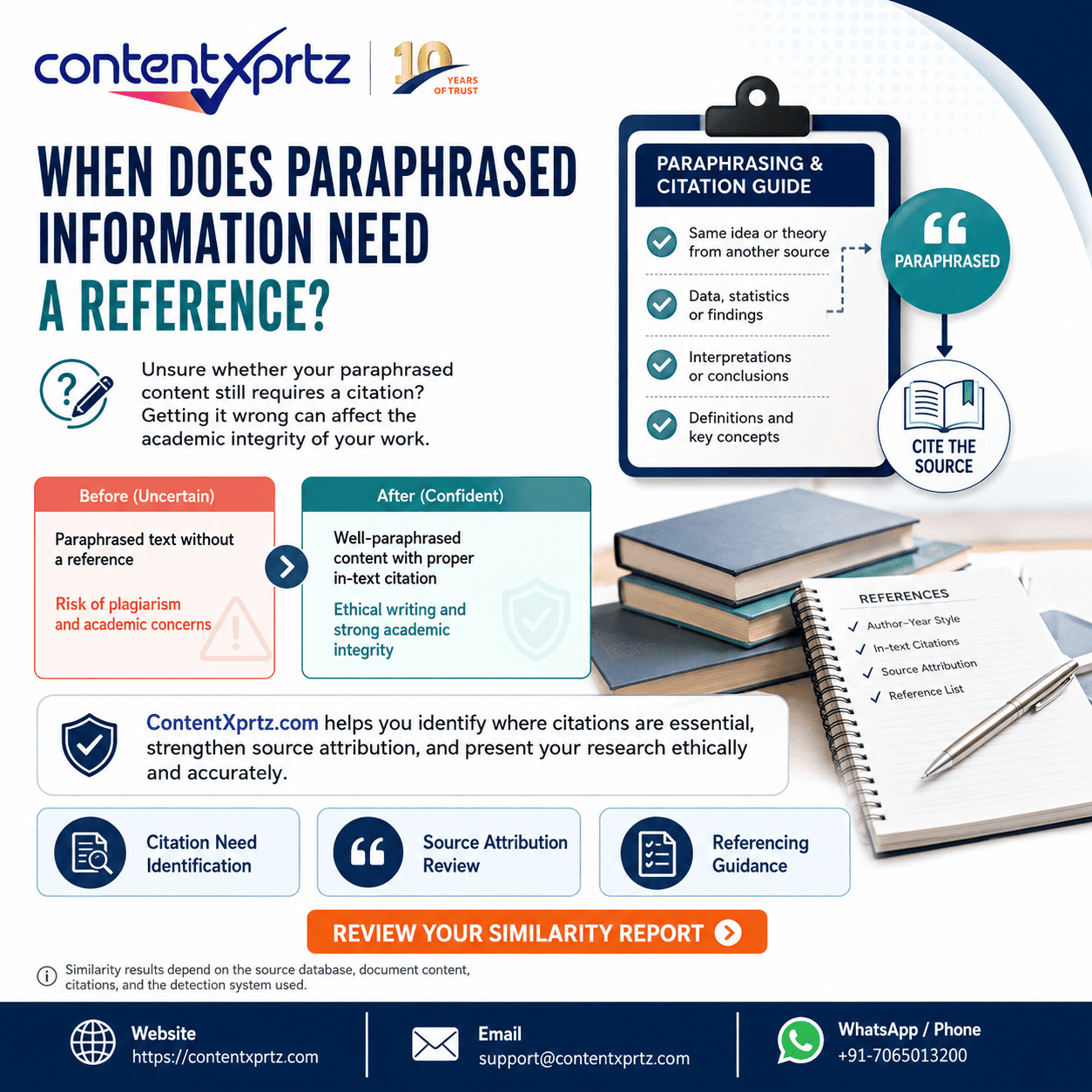
A citation does not automatically make copied wording acceptable; direct language may still need quotation marks. Conversely, a well-written paraphrase still needs citation when it uses another source’s idea. A professional plagiarism-risk review should check both wording and attribution.
Files, Resubmissions, Receipts, and Technical Problems
Technical preparation is part of academic integrity because the submitted file must be the document the author intended to assess. The official Turnitin workflow normally includes file selection, preview, final submission, confirmation, and a digital receipt.
Accepted files and readable text
Supported files can include Word, PDF, plain text, rich text, OpenOffice, PowerPoint, HTML, and cloud documents, depending on the assignment. A scanned image-only PDF may fail because its text cannot be highlighted and compared. Very large files, encrypted files, documents with embedded portfolios, and files that contain too little readable text can also be rejected or produce incomplete results.
Resubmission settings
Some assignments allow one submission only; others allow drafts or repeated resubmission before the deadline. The report may be immediate, delayed, or generated at the due date. Turnitin guidance notes that overwritten or resubmitted papers may take up to 24 hours to receive a new report. Plan revision time accordingly rather than submitting minutes before a deadline.
Submission receipts
Keep the on-screen confirmation, emailed receipt, submission title, timestamp, and submission ID. If the file or score does not appear, return to the assignment record and verify that the paper is listed. A local screenshot can supplement the receipt but should not replace the official record.
Troubleshooting sequence
- Check the assignment due date, late-submission rule, and resubmission permissions.
- Confirm the file size, page count, file type, readable text, and filename.
- Use the correct browser, allow required cookies, and enable Turnitin pop-ups if the report opens in a new window.
- Verify that the End User License Agreement was accepted where required.
- Contact the instructor immediately if the deadline is close; do not rely on an unapproved alternate upload.
Repository Storage, Privacy, Self-Matches, and AI Detection
Before uploading unpublished work, understand where the submission may be stored and what later comparisons can occur. Turnitin assignment settings can offer a general repository, a private institutional repository, or no repository, depending on the institution’s license and administrator controls.
Why repository settings matter
A stored draft can become a source in a later Similarity Report. This supports detection of reused student work, but it can also create a high self-match when a thesis chapter or revised assignment is checked again. Students usually cannot change the storage choice themselves. Ask the instructor or administrator before using a draft-check assignment for unpublished or confidential work.
Privacy and ownership
Do not assume that a similarity match reveals another student’s full paper. Access to matching student work is controlled, and Turnitin’s guidance states that intellectual property rights remain with the student. For personal-data questions or deletion requests, students generally need to work through their institution’s account administrator and the applicable privacy process.
AI-writing indicators require human judgment
Turnitin’s AI Writing Report guidance warns that the model may misidentify human-written, AI-generated, or AI-paraphrased text and should not be the sole basis for adverse action. The signal must be considered with drafts, writing process, source knowledge, institutional AI policy, and the author’s explanation.
For confidential datasets, unpublished inventions, embargoed manuscripts, clinical information, or identifiable participant material, consult the institution’s data-protection and research-ethics requirements before uploading. A similarity service is not a substitute for secure research-data governance.
Ethical Academic Editing and Author Responsibility
Ethical editing improves communication without replacing authorship. An editor may correct grammar, clarify sentences, identify close paraphrases, check citation consistency, suggest structure, and flag passages that require the author’s attention. The author must still understand the sources, verify references, approve changes, and take responsibility for claims, data, interpretation, and submission.
Plagiarism-risk reduction is not a mechanical synonym exercise. It depends on original reasoning, accurate paraphrasing, transparent quotation, complete citation, and meaningful synthesis. References must be authentic and traceable. Where generative AI has been used, every output should be verified, and disclosure should follow the course, institution, journal, or publisher policy. Contentxprtz supports ethical revision and does not promise guaranteed publication, acceptance, grades, approval, or a fixed similarity score.
Common Turnitin Website Mistakes to Avoid
- Using an unofficial shared account. This can expose unpublished work, breach institutional rules, and create uncertain repository storage.
- Submitting the wrong file. Always preview the document and save the digital receipt.
- Treating the percentage as a verdict. Review the source and context of every important match.
- Chasing a universal threshold. Acceptability depends on the document, discipline, assignment, and institutional policy.
- Deleting citations to reduce similarity. This weakens academic integrity and can turn legitimate borrowing into unattributed use.
- Replacing words mechanically. Patchwriting and synonym swapping can distort meaning and remain ethically inadequate.
- Ignoring self-matches. Earlier drafts, published chapters, or previous assignments may be stored in a repository and require explanation.
- Uploading confidential research without checking storage. Ask the authorized administrator about repository and privacy settings.
- Assuming an AI indicator proves misconduct. Use policy, process evidence, drafts, and human review.
- Waiting until the deadline. File errors and resubmission delays can leave no time for correction.
Practical Examples: Turnitin in Real Academic Situations
Example 1: A PhD scholar checks a thesis with published chapters
Situation: A doctoral candidate combines two previously published articles with new thesis chapters. The overall score is high, and the largest matches point to the candidate’s own journal papers.
Common confusion: The candidate assumes self-authored text cannot be a problem or tries to rewrite every matched sentence without checking university policy.
Correct approach: Identify the published material, cite it clearly, review permissions and thesis-by-publication rules, and explain the overlap to the graduate school. The institution may treat approved published chapters differently from unattributed duplication. An editor can help standardize transitions, citations, and cross-chapter terminology while preserving the candidate’s original research.
Example 2: A student receives 28% similarity on a literature review
Situation: A postgraduate student believes any score above 20% means failure. The report shows that much of the match comes from the reference list, correctly quoted definitions, and the assignment title, but one paragraph closely follows a source without quotation marks.
Common mistake: The student deletes references and changes random words to force the score down.
Correct approach: Keep the references, review the matched paragraph, read the source, rewrite from understanding, cite the idea, and use a direct quotation only when the exact wording is necessary. The revised document may still have legitimate matches, but the attribution and source integration will be stronger.
Example 3: An ESL researcher sees an AI-writing flag
Situation: A researcher used a grammar assistant and received extensive language editing. An institutional AI-writing indicator flags part of the manuscript.
Common confusion: The researcher assumes the report proves misconduct or looks for a service that promises to “humanize” the text and defeat detection.
Correct approach: Preserve drafts and editing records, explain the permitted tools, verify the manuscript’s arguments and references, and ask the institution how the indicator should be reviewed. Human editing can restore a consistent scholarly voice and check meaning, but the goal should be transparent authorship and policy compliance, not detector evasion.
Turnitin Website and Similarity-Review Checklist
Before submission
- The authorized website or LMS route is confirmed.
- The correct class, assignment, deadline, and resubmission rules are visible.
- The institution’s citation, AI-use, collaboration, and editing policies have been read.
- The file is text-readable, within current size and page limits, and free from unintended comments or tracked changes.
- Repository storage has been clarified for unpublished, confidential, or previously submitted work.
During submission
- The correct file and title are selected.
- The preview displays all pages, references, tables, and figures correctly.
- The final submit action is completed.
- The digital receipt, timestamp, and submission ID are saved.
After the report appears
- The largest source matches are reviewed in context.
- Quotations, citations, reference entries, templates, and common phrases are distinguished from close paraphrasing or uncited copying.
- The score is interpreted according to the document type and institutional policy.
- Any exclusions are used transparently for interpretation.
- Revisions improve source integration, clarity, and attribution rather than merely reducing the number.
- Ambiguous self-matches, repository issues, or AI indicators are discussed with the authorized reviewer.
How Contentxprtz Can Help After a Turnitin Report
A Similarity Report can identify where text overlaps with sources, but it does not rewrite a literature review, repair a weak argument, verify every reference, or explain how to integrate evidence in a specific discipline. Contentxprtz can help qualified students, PhD scholars, researchers, and professional authors convert the report into an ethical revision plan.
Relevant support may include passage-by-passage review of significant matches, paraphrasing guidance that preserves technical meaning, quotation and citation checks, reference-list consistency, ESL language editing, thesis chapter alignment, and manuscript proofreading. The service is most effective when the author also provides the source documents, required citation style, institutional policy, and any supervisor or reviewer comments.
Contentxprtz does not guarantee a zero score, approval, grades, journal acceptance, or publication. The purpose of ethical academic integrity support is to improve clarity, traceability, attribution, and author understanding while keeping intellectual responsibility with the researcher.
Summary: Turnitin Website Guidance
The Turnitin website is an institution-based platform for submitting academic work, comparing text with selected databases, and reviewing similarity, feedback, and integrity concerns. Students may access it directly or through an LMS, and the available report, storage, resubmission, and AI features depend on institutional settings.
A similarity score is the proportion of matched text, not a plagiarism verdict. Responsible interpretation requires checking each source, the type of document, citation and quotation practice, assignment policy, repository history, and the author’s writing process. The strongest response is not to chase a universal percentage but to revise the document so ideas, evidence, wording, and attribution are clear.
Frequently Asked Questions
What is the Turnitin website used for?
The Turnitin website is an institution-licensed platform used to receive student submissions, generate Similarity Reports, support grading and feedback, and help educators review academic integrity concerns. A submitted document is compared with the sources enabled for the assignment, which may include current and archived internet pages, publications, and repositories of earlier student work. The resulting report highlights matching text and calculates an overall similarity percentage. It does not automatically decide that plagiarism occurred. A quotation, bibliography entry, assignment template, standard technical phrase, or correctly cited passage can all create matches. Students normally use Turnitin through a university, college, school, or learning management system rather than purchasing an individual Turnitin Feedback Studio account. The most useful approach is to treat the report as evidence for revision and discussion: open each important match, check whether the source is cited, review paraphrasing and quotation practice, and follow the institution’s academic integrity policy. For thesis or manuscript preparation, a similarity report should be combined with careful human review because originality, attribution, structure, and disciplinary conventions cannot be reduced to one percentage.
Can a student use the Turnitin website without a university account?
A student generally cannot buy an individual subscription to Turnitin Feedback Studio or Turnitin Similarity. Turnitin states that these subscriptions are designed for educational institutions. Student access is normally provided by a school or university, either through the Turnitin website or through an integrated learning management system such as Canvas, Moodle, Blackboard, or Google Classroom. For direct website access, a student may be enrolled by an instructor or may need a class ID and a case-sensitive enrollment key. Researchers or professionals seeking an individual similarity check may be directed to a separate product such as iThenticate, subject to its current pricing and terms. Avoid unofficial websites that advertise shared Turnitin accounts or invite you to upload unpublished work without explaining storage, privacy, or authorization. Such services may violate institutional rules, expose confidential drafts, or create future self-matches. The safer first step is to ask your instructor, supervisor, library, graduate school, or research office which originality-checking route is approved and whether draft checking is permitted before final submission.
How do I log in to the Turnitin website?
To log in directly, go to the official Turnitin website and use the Log In option with the email address and password connected to your institutional account. New students who have been given a class ID and enrollment key can use the student registration route to create a profile and join the class. In other institutions, you should not log in at Turnitin.com at all; instead, open the assignment inside your learning management system and follow the Turnitin link embedded there. This distinction matters because the interface, assignment workflow, and report permissions can differ. If login fails, confirm that you are using the correct regional or institutional route, check whether your instructor enrolled the same email address, reset your password through the official recovery process, and allow required browser cookies or pop-ups. Never post a class ID or enrollment key publicly. If the class is missing after login, contact the instructor rather than creating a second account, because duplicate profiles can complicate access and submission records.
What does a Turnitin similarity score mean?
A Turnitin similarity score is the percentage of text in a submission that matches sources in the databases selected for that assignment. It is a measure of textual overlap, not a plagiarism verdict and not a grade. A low score can still contain a serious uncited passage, while a higher score may be explainable by references, quotations, templates, methods language, or commonly used terminology. The score must be read alongside the highlighted matches, the type and size of each source overlap, the assignment requirements, the student’s citation practice, and the institution’s policy. There is no universal acceptable percentage that applies to every discipline or document. A literature review naturally cites more sources than a reflective essay; a thesis methods chapter may repeat standard descriptions; and a reference list can add legitimate similarity. Review the largest and most meaningful matches first, then check smaller repeated patterns. Where the instructor allows filters, bibliography, quoted material, or small matches may be excluded to support interpretation, but exclusions should not be used simply to chase a lower number.
Is the Turnitin website a plagiarism checker?
Turnitin is commonly called a plagiarism checker, but the more accurate description is a text-similarity and academic-integrity support system. The platform compares a submission with selected databases and highlights matching or similar text. It cannot independently determine the author’s intent, whether a source was permitted, whether a quotation was correctly integrated, or whether an academic integrity rule was violated. Those judgments require context and human review. Plagiarism can also occur without a large verbatim match, for example through translated copying, unattributed ideas, fabricated citations, inappropriate collaboration, or misuse of data. Conversely, visible matching text may be legitimate when it is correctly quoted, cited, or required by a template. Students should therefore use the report to improve source use rather than to “beat” a percentage. Educators should examine match context, writing development, citation quality, and policy. Ethical editing can help clarify paraphrases and references, but it should not disguise copied material or replace the author’s own analysis.
How can I view my Similarity Report on the Turnitin website?
Whether you can view a Similarity Report depends on the assignment settings chosen by the instructor or institution. On the direct Turnitin website, a student typically opens the relevant class and assignment, then selects the similarity percentage shown for the submitted paper. In an integrated learning management system, the report may appear beside the submission or under a “View Turnitin Report” link. If no score appears, the report may still be processing, student access may be disabled, or the assignment may be configured to release reports later. Resubmitted work can sometimes take longer to generate a new report. When the report opens, examine the overall percentage, match groups or source list, highlighted passages, and any available filters. Do not focus only on the top number. Check whether a match is a quotation, reference, template phrase, close paraphrase, or substantial uncited overlap. Save the digital submission receipt and submission ID as proof that the upload completed successfully.
Can I upload a thesis or research paper directly to Turnitin?
You can upload a thesis or research paper only when you have authorized access and an appropriate assignment, folder, or institutional workflow. Students usually submit to a class assignment created by an instructor. Graduate schools may provide a thesis-checking route, and research offices may use institutional products for manuscripts. Before uploading an unpublished document, ask how the assignment stores submissions: a general repository, a private institutional repository, or no repository. Storage settings can affect whether later versions match the earlier draft. Also confirm the accepted file type, size, page count, text readability, and deadline. Image-only scanned PDFs may not generate a useful text comparison. Keep the original document, review the preview before final submission, and save the receipt. Do not use someone else’s account or an unapproved third-party “Turnitin check” service. For confidential research, patent-sensitive material, embargoed findings, or identifiable participant information, follow institutional data-protection and ethics requirements before uploading.
Why did my Turnitin score increase after revision or resubmission?
A similarity score can increase after revision even when the writing has improved. The revised file may contain more accurately formatted quotations, a completed reference list, additional source-based discussion, or text that matches an earlier submission stored in a repository. Assignment settings, comparison databases, exclusions, and report regeneration can also affect the result. Some resubmissions may take up to a full day to produce a new report, so an immediate comparison may be misleading. Start by checking whether the new report is matching your own earlier draft. Then compare the largest sources and inspect which sections changed. Do not delete citations, distort wording, or use awkward synonym replacement merely to lower the percentage. The goal is transparent attribution and clear academic writing. If self-matching is substantial, ask the instructor or administrator whether the earlier draft was stored and what repository or deletion process applies. Keep version records and submission receipts so the sequence is easy to explain.
Does the Turnitin website detect AI-written text accurately?
Turnitin offers AI-writing indicators for eligible institutional products and configurations, but its own guidance states that the model may misidentify human-written, AI-generated, or AI-paraphrased text. An AI indicator should therefore not be used as the sole basis for an adverse decision. The availability of the feature, supported language, minimum text requirements, and report presentation depend on the institution’s license and current product settings. Students should follow the specific AI-use policy for the course, thesis, journal, or employer. Where AI assistance is permitted, maintain notes showing how it was used, verify every factual claim and reference, rewrite in your own scholarly voice, and disclose use when required. Educators should review process evidence, drafts, source knowledge, writing consistency, and the student’s explanation. Contentxprtz can provide human editing and academic integrity review that preserves the author’s meaning, but no responsible service should promise to make AI use “undetectable” or guarantee a particular detector outcome.
When should I seek professional help after using Turnitin?
Professional help is useful when the report reveals repeated close paraphrasing, inconsistent citation, excessive quotation, unclear source integration, or language problems that make original ideas difficult to distinguish from borrowed material. It can also help when a thesis contains many chapters and styles, a research paper must meet a journal’s references and disclosure rules, or an ESL author needs language polishing without changing technical meaning. Ethical support should explain the matches, improve clarity, check citations against the manuscript, and help the author revise in a traceable way. It should not fabricate sources, rewrite copied content to conceal its origin, guarantee a lower score, or take over the author’s intellectual responsibility. Before engaging a service, share the university or journal policy, required citation style, deadline, and whether external editing must be disclosed. Contentxprtz can support academic editing, proofreading, citation consistency, and plagiarism-risk reduction, while the author remains responsible for research accuracy, source interpretation, data, claims, and final submission.
Conclusion: Use Turnitin as a Revision Tool, Not a Shortcut
The practical challenge is not obtaining the lowest possible number. It is producing work that clearly separates the author’s reasoning from quoted, paraphrased, summarized, or reused material. Turnitin can reveal important textual patterns, but the writer must still understand sources, follow policy, preserve evidence, and revise thoughtfully.
Self-service review may be enough for a small number of clear matches. Expert-assisted academic editing becomes safer when a thesis, dissertation, or manuscript contains repeated close paraphrasing, complex self-reuse, inconsistent references, language barriers, or a formal institutional response. Contentxprtz supports clarity, structure, ethical source use, and publication readiness without replacing author responsibility.
At Contentxprtz, we don’t just edit; we help ideas reach their fullest potential.