Task-Based Structure
Content organised around what the reader needs to do.

Turn product knowledge, draft instructions, screenshots, specifications, and existing documentation into a user manual that helps readers find the right information, follow tasks in the correct order, understand warnings, and use your product or system with less confusion.
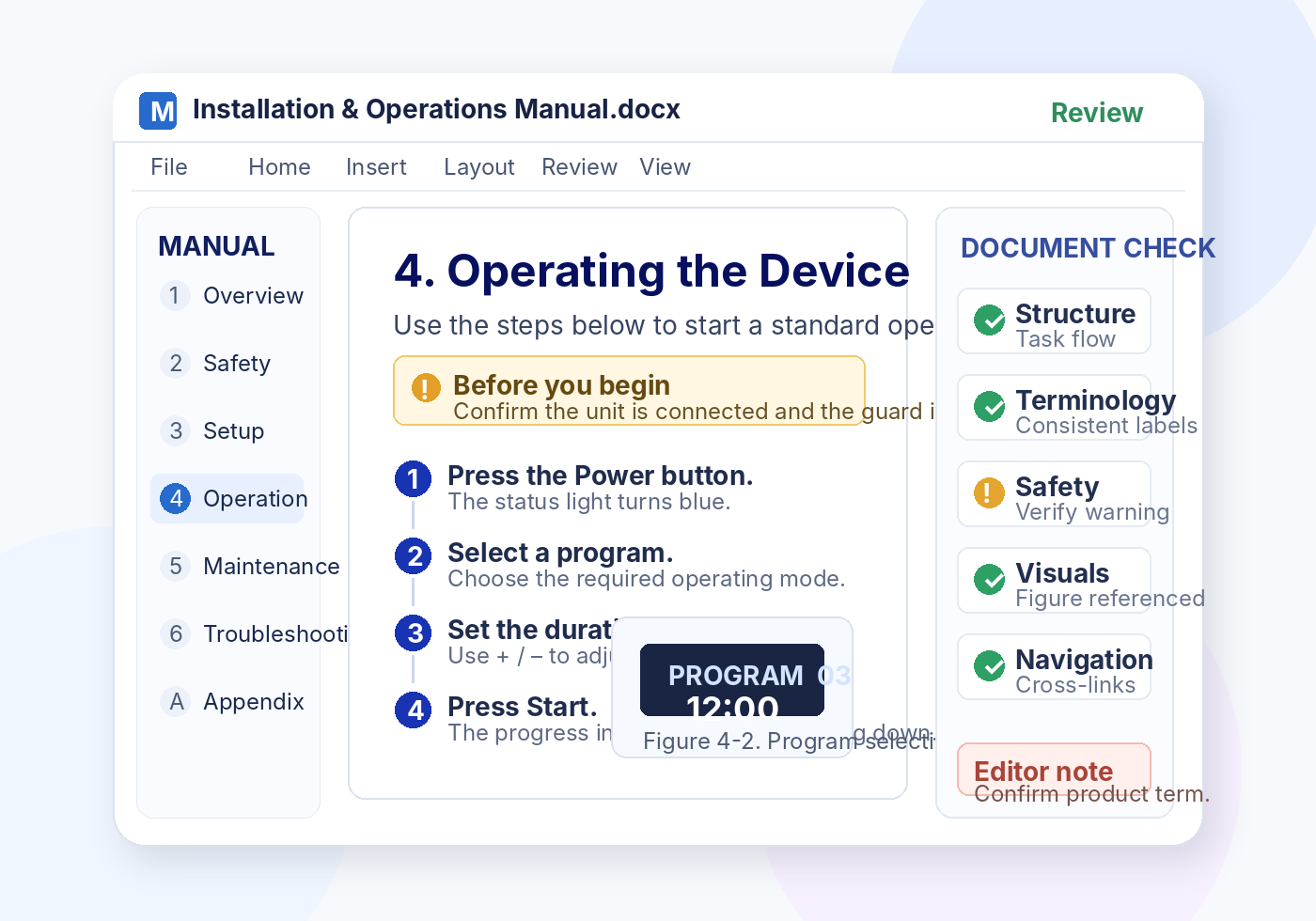
A user manual is best priced as a complete small-document project because structure, task writing, visuals planning, consistency, and review all contribute to the deliverable.
Suitable for: Best for a focused product, device, software module, or process that needs a clear starter manual rather than a large documentation program.
for a compact user manual up to about 15 pages or 3,000 words from complete product inputs
User Manual Service starts at ₹18,000 for a compact user manual up to about 15 pages or 3,000 words from complete product inputs.
Buy Service NowLong manuals, multiple product variants, new illustration production, extensive screenshots, compliance-heavy content, localization preparation, or sparse source material can raise the project fee.
Content organised around what the reader needs to do.
Complex information rewritten for usability and precision.
Screenshots, figures, captions, and callouts aligned to the text.
Cross-checking for consistency, sequence, navigation, and presentation.
A manual can contain the right facts and still frustrate readers when the information is hard to find, steps are ambiguous, labels change, or visual guidance does not match the instructions.
Readers are told what to do, but not in a dependable order with prerequisites, decisions, and expected results.
Buttons, product names, menu labels, and technical terms are described differently across sections.
Screenshots, figures, captions, and interface references no longer match the current product or process.
Instructions assume knowledge the user may not have, leaving setup conditions, inputs, permissions, or constraints unstated.
Headings, contents pages, cross-references, indexes, and troubleshooting paths do not help readers reach the right answer quickly.
Important notes, cautions, and safety instructions are buried in paragraphs or separated from the step where they matter.
The service can support a new manual, a major rewrite, or a targeted update. The agreed scope is based on the condition of your source material and the documentation outcome you need.
Source files, specifications, workflows, drafts, and existing help content.
Task-based instructions, explanations, transitions, notes, and troubleshooting.
Sections, hierarchy, contents, navigation, cross-references, and logical sequence.
Screenshot placement, figure references, captions, labels, and callouts.
Headings, lists, tables, warnings, page elements, and consistent presentation.
Sequence, consistency, labels, links, references, figures, and final readability.
The goal is not to make documentation sound more sophisticated. It is to make the manual easier to navigate, understand, follow, check, and maintain.
Product facts may be correct, but the information is fragmented, repetitive, inconsistent, or written from an internal rather than user perspective.
Sections are reorganised around user tasks, terminology is normalised, steps are clarified, and questions for technical validation are made visible.
The approved content is presented with clear headings, predictable steps, aligned visuals, consistent labels, usable cross-references, and a clean final structure.
A manual often needs more than grammar correction. The right level of support depends on whether the content is already usable, needs structural rewriting, or must be updated against new product information.
The exact sections depend on your product and audience. A strong manual gives each information type a clear purpose and keeps navigation predictable from setup through troubleshooting.
Purpose, audience, scope, conventions.
Warnings, cautions, notes, limitations.
Requirements, setup, connections, checks.
Core tasks, controls, modes, results.
Routine care, inspection, replacement.
Symptoms, causes, actions, escalation.
Specifications, settings, tables, codes.
Contents, cross-links, glossary, index.
Menus, labels, screenshots, prompts.
Diagrams, captions, numbered references.
Common questions and quick-resolution paths.
Supplementary procedures and reference detail.
The workflow begins with the source material and ends with a documentation package aligned to the agreed scope. Product-specific facts remain subject to client or subject-matter validation.
Share drafts, specs, screenshots, workflows, and requirements.
ReceivedAssess content condition, length, complexity, gaps, and output needs.
AssessmentDefine structure, hierarchy, audience, terminology, and content flow.
PlannedDevelop task-based instructions, explanations, notes, and transitions.
In ProgressPlace or reference screenshots, figures, captions, and callouts.
Visual CheckApply headings, lists, warnings, tables, numbering, and document rules.
FormattingCheck sequence, consistency, references, navigation, labels, and presentation.
Quality CheckProvide the agreed clean and editable formats after scope completion.
DeliveredYour final delivery package is defined during scoping. Depending on the project, it can include the manual source file, a clean final version, structured review notes, and supporting consistency material.
A user manual is checked as a connected information system—not just as a collection of sentences. Final technical approval remains with the product owner or designated subject-matter expert.
Instructions are checked against the supplied project information.
Terminology, labels, style, numbering, and cross-references are checked.
Prerequisites, sequence, decisions, outcomes, and exceptions are reviewed.
Figures, captions, tables, warnings, and page elements are cross-checked.
Navigation, references, formatting consistency, and open validation points are reviewed.
The service is suitable when you can provide enough source material for the documentation to be written or revised accurately. The final structure is adapted to the audience, product, and task environment.
Interface tasks, setup, workflows, permissions, and feature instructions.
Installation, operation, controls, checks, maintenance, and troubleshooting.
Setup, controls, modes, warnings, charging, care, and common issues.
Requirements, components, preparation, assembly, configuration, and checks.
Routine activities, responsibilities, sequences, controls, and escalation paths.
Focused onboarding for the first successful setup or key task.
Inspection, care, routine service, replacement, and record information.
Problem symptoms, checks, likely causes, actions, and escalation criteria.
Product documentation can contain unpublished workflows, interface details, operating procedures, and sensitive business information. File handling is treated as an essential part of the service.
Turnaround is confirmed after scope and deadline review. Timing depends on the size and condition of the manual, technical complexity, source readiness, visual work, formatting requirements, and the deadline you request.
A well-organised existing manual can usually be scoped differently from a project built from specifications, notes, screenshots, and multiple reference files.
Proofreading, structured rewriting, a new manual, a major update, or a visual-heavy guide each require a different level of effort.
Projects that depend on product-owner answers, interface confirmation, safety validation, or revised visuals may require staged review points.
The service is designed around usability, consistency, and clear documentation decisions—not simply sentence-level correction.
Information is organised around user goals, prerequisites, actions, decisions, and outcomes.
Product names, menu labels, interface text, abbreviations, and technical terms are checked for consistent use.
Instructions can be aligned with screenshots, figures, captions, callouts, warnings, and cross-references.
The document is checked for sequence, consistency, navigation, references, formatting, and open technical-validation items.
A new manual, an update, a rewrite, or a near-final document does not receive the same level of intervention by default.
Product and documentation files are treated as sensitive project material within the service workflow.
Common questions about scope, source files, technical accuracy, visuals, delivery, turnaround, pricing, and confidentiality.
The scope can include manual planning, restructuring, technical writing or rewriting, task-based instructions, terminology consistency, visual and screenshot guidance, formatting, cross-references, and final quality review. The exact scope is confirmed after the source material is reviewed.
Yes. A user manual can be developed from supplied source material such as product notes, specifications, workflows, existing help content, interface screenshots, procedures, and draft documentation. The source information must be sufficient to support accurate instructions.
Yes. Existing manuals can be reorganised, rewritten, clarified, standardised, and updated where the required product information and revision inputs are supplied.
The service can support software, SaaS, equipment, devices, internal tools, installation procedures, operating instructions, maintenance information, and other documentation when the necessary technical source material is available.
Yes, where they are part of the agreed scope. Supplied screenshots and figures can be organised, captioned, referenced, and paired with clear steps, notes, cautions, or warnings.
The manual is written and checked against the source material supplied for the project. Product-specific technical facts that require owner or subject-matter validation should be confirmed by the client before final use.
Yes. Supplied terminology lists, style guides, templates, naming conventions, and branding requirements can be applied throughout the manual.
Useful inputs include the current manual or draft, product specifications, workflows, screenshots, interface labels, safety information, diagrams, terminology lists, templates, style guides, and any required output format.
Yes. If you provide the current manual plus the revised product information, workflows, interface labels, screenshots, or change notes, the affected sections can be identified and updated within the agreed scope.
Turnaround is confirmed after the manual length, technical complexity, source readiness, visual requirements, formatting needs, and requested deadline have been reviewed.
User Manual Service starts at ₹18,000 for a compact user manual up to about 15 pages or 3,000 words from complete product inputs. Long manuals, multiple product variants, new illustration production, extensive screenshots, compliance-heavy content, localization preparation, or sparse source material can raise the project fee.
Editable source files can be included when they are part of the agreed delivery format. The final file set and format are confirmed before work begins.
Confidential file handling is built into the service workflow. Access is limited to the essential team, unpublished material is treated as sensitive, and an NDA can be requested where required.
Share the current state of your documentation and what you need the final manual to achieve. The information below helps assess scope without inventing a generic package or price.
Existing manual, notes, specifications, workflows, help content, or draft files.
Software, device, equipment, internal tool, process, or another documented product.
End users, operators, installers, administrators, technicians, employees, or another reader group.
Approximate word/page count, current file format, desired editable format, and PDF needs.
Screenshots, figures, diagrams, callouts, safety notes, captions, or existing image assets.
Requested completion window and who will validate product-specific technical facts.
Provide enough detail for the manual to be scoped for writing, rewriting, updating, visual alignment, formatting, and quality review.