Doc Plagiarism Checker: How to Check Word Documents Responsibly
A doc plagiarism checker helps you review a Microsoft Word document for text that resembles material in other sources. It can be useful before submitting an assignment, thesis, dissertation, research paper, journal manuscript, book chapter, proposal, or professional report. But the most important point is often misunderstood: a similarity checker identifies textual overlap; it does not independently decide whether plagiarism has occurred.
That distinction matters because academic writing naturally contains cited terminology, quotations, references, standard methods language, and discipline-specific phrases. A percentage by itself cannot tell you whether those matches are legitimate. Responsible checking means opening the report, examining the source behind each important match, correcting citation or paraphrasing problems, and protecting confidential or unpublished work while you do so.
This guide explains how to check DOC and DOCX files, how to interpret similarity without chasing an arbitrary “safe” number, how to revise ethically, and when expert plagiarism and academic-integrity support may help.
Quick Answer: What Does a Doc Plagiarism Checker Do?
A doc plagiarism checker extracts text from a Word document and compares it with sources available to the checking system. Depending on the service, those sources may include web pages, publications, repositories, and previously submitted documents. The output usually shows an overall similarity percentage plus highlighted passages and source matches.
The safest way to use that report is source by source, not score first. Start with the largest or most concentrated matches. Decide whether each one is a correctly quoted passage, a legitimate reference entry, common language, a poor paraphrase, an uncited borrowed idea, or a duplicate of your own earlier work. Revise only where the scholarship or attribution needs improvement.
Turnitin’s current guidance makes the same core distinction: the similarity score measures matched text and should not be treated as an automatic plagiarism verdict. Turnitin’s plagiarism guidance advises reviewers to consider context, source integration, citation practice, and the nature of the work.
Key Takeaways
- A DOC or DOCX similarity report is evidence for review, not a pass-or-fail judgment.
- A high percentage can include legitimate quotations, references, standard wording, or self-matches.
- A low percentage does not prove originality or correct attribution.
- Fix the writing ethically: cite, quote, paraphrase from understanding, and verify references.
- Do not upload unpublished or confidential documents to a service before checking its storage and privacy terms.
- Follow your university, supervisor, employer, publisher, or journal policy rather than relying on a universal threshold.
- Professional editing can help with patchwriting and citation consistency but should never disguise copied material.
What This Page Covers
- How Word-document plagiarism checking works
- How to prepare DOC and DOCX files before a scan
- How to read source matches and similarity percentages
- Ethical ways to reduce problematic overlap
- Privacy, repositories, and unpublished-document risks
- Practical examples for theses, journal papers, and assignments
- When human academic editing adds value
Table of Contents
Methodology and Academic Sources
This article reflects common academic-integrity, citation, proofreading, and publication-readiness workflows. Because plagiarism policies and similarity-checking settings vary, readers should always verify the written requirements of their institution, course, publisher, employer, or target journal.
For source interpretation, this guide draws on current official Turnitin documentation about similarity reports and on established academic-writing guidance. Purdue University’s academic guidance on avoiding plagiarism is a useful reference for quotation, paraphrasing, summarizing, and attribution. Publication authors should also consider relevant COPE publication-ethics guidance when duplicate publication, text recycling, or authorship issues arise.
What a Doc Plagiarism Checker Actually Checks
A checker works primarily by looking for textual similarity between your document and material available to its comparison system. The exact technology differs by product, but the practical output is similar: passages are highlighted because wording or patterns resemble one or more sources.
Similarity is not identical to plagiarism. Plagiarism is an academic or professional judgment about inappropriate use of another person’s words, ideas, data, creative work, or intellectual contribution without proper acknowledgment. A matching-text engine can show you where to look, but the human reviewer still needs to evaluate attribution, intent, context, discipline norms, and policy.
What can legitimately create matches?
- Properly quoted sentences with citations
- Reference-list entries and article titles
- Boilerplate ethics or funding statements
- Standard methods terminology
- Common phrases and technical expressions
- Institutional templates or assignment prompts
- Your own earlier submitted or published text
That is why simply “reducing the percentage” is the wrong objective. The better objective is to make every meaningful source relationship transparent and academically defensible.
DOC, DOCX, PDF, and Pasted Text: Which Format Is Best?
If the checker supports Word files, DOCX is usually convenient because it preserves editable text and document structure. Older DOC files may also work, but compatibility can vary. PDF can be useful when layout must remain fixed, although scanned or image-only PDFs may require optical character recognition and can produce weaker text extraction.
| Input | Best for | Watch for |
|---|---|---|
| DOCX | Current Microsoft Word manuscripts, theses, assignments | Tracked changes, comments, text boxes, hidden content |
| DOC | Older Word documents | Legacy formatting or conversion issues |
| Text paste | Short passages or quick checks | Loss of footnotes, references, layout, headings |
| Fixed-layout final documents | Scans, OCR errors, hyphenation, inaccessible text |
Before a high-stakes check, save a clean copy and ensure the checker is seeing the same text your reader will see. Accept or reject tracked changes as appropriate, remove comments that are not part of the submission, and confirm that references and footnotes are present if they should be evaluated.
How to Use a Doc Plagiarism Checker: Step by Step
1. Confirm the policy before uploading
Start with the rule that governs the document. A university may specify a particular system, repository setting, exclusion filter, or submission stage. A journal may not ask for a similarity report from authors at all. An employer may prohibit uploading confidential documents to third-party services. These rules take priority over generic online advice.
2. Create a clean near-final Word file
Run the check after the argument, evidence, and references are reasonably stable. Very early drafts can generate noise because notes, copied source fragments, incomplete citations, and placeholders may still be present. Save a backup before making any edits based on the report.
3. Review privacy and repository terms
Ask whether the service retains uploads, adds submissions to a repository, uses content for product improvement, or permits deletion. This is especially important for unpublished research, patent-sensitive work, clinical information, client material, examination content, or documents governed by confidentiality agreements.
4. Upload the DOC or DOCX file
Use the approved upload route and confirm that the file has been processed successfully. If the system provides a preview, compare the beginning, middle, references, and any tables or footnotes with your original. Extraction errors can create misleading results.
5. Open the full similarity report
Do not stop at the headline percentage. A useful report lets you see which passages matched, which sources were identified, and how much each source contributed. Turnitin’s documentation, for example, describes source-based match views and an overall similarity figure calculated from matched words.
6. Triage the matches
Start with large continuous matches, repeated matches to one source, and paragraphs where your wording closely follows another author. Then review smaller matches that contain distinctive ideas, definitions, or phrasing. Reference entries and common phrases are usually lower priority, although they still need accurate formatting.
7. Decide what each match requires
- Correct quotation: keep the wording, quotation marks or block format, and citation if the quote is necessary.
- Weak paraphrase: return to the source, understand it, then rewrite independently and cite it.
- Uncited borrowed idea: add the appropriate citation and clarify whose contribution is being discussed.
- Common knowledge: verify that it truly is common in the intended audience and discipline.
- Self-match: determine whether it is a harmless prior draft or text recycling that needs citation or disclosure.
8. Recheck citations and the reference list
Automated tools can show matching wording but they do not guarantee that citations are complete or correct. Make sure every source cited in the text is traceable and every reference entry is authentic. If you need language and citation consistency support, academic proofreading can help identify inconsistencies without replacing author responsibility.
9. Revise for meaning, not for the score
A sound revision makes the prose clearer and the source relationship more transparent. Avoid forced synonyms, awkward sentence inversion, or unnecessary rewriting of established terminology simply because it matched. The resulting paper should read naturally to a human evaluator.
10. Keep an appropriate record
If your institution expects a report, save the version required by its procedure. Record the submission date and the document version so you can explain later why a resubmission produced a different score.
How to Interpret a Similarity Report Without Misreading the Percentage
The overall score is a starting point, not the conclusion. A better interpretation considers where the similarity occurs, what kind of source it matches, whether the source is acknowledged, and how much of the author’s argument depends on borrowed wording or structure.
| Report pattern | Possible explanation | Useful next action |
|---|---|---|
| One long match to one source | Copied passage, weak paraphrase, template, or prior version | Compare line by line and verify citation or self-match context |
| Many tiny matches across sources | Common phrases, references, technical language | Review selectively; do not rewrite automatically |
| References contribute heavily | Bibliographic entries match indexed sources | Use approved bibliography exclusion for interpretation if permitted |
| Quoted passages match | Expected textual overlap | Check quotation marks, page details, and citation accuracy |
| Very low score but citations are missing | Ideas may be borrowed without close wording | Audit attribution manually; similarity cannot prove integrity |
| Very high match to your prior draft | Repository self-match | Ask instructor or administrator about prior-submission exclusion |
This is also why fixed “acceptable plagiarism percentage” advice is risky. Thresholds may be used locally, but they do not remove the need to inspect the underlying matches.
How to Reduce Problematic Similarity Ethically
Ethical revision begins with authorship and attribution. If the text is too close to a source, the remedy is not to fool the checker. The remedy is to decide whether the original wording is necessary, whether the idea needs citation, and how you would explain it in your own scholarly voice.
Paraphrase from understanding
Read the source until you can explain the idea without looking at the sentence. Then put the source aside and write the point in the structure that best serves your argument. Compare the new version with the original afterward to make sure you preserved the meaning without preserving the phrasing. Add the citation because paraphrasing does not remove the intellectual debt.
Quote when wording itself matters
Direct quotation can be appropriate when the exact language is important, such as a definition, policy statement, distinctive claim, or primary-source wording. Use the citation style required by your institution or publisher and avoid excessive quotation that prevents your own analytical voice from leading the discussion.
Synthesize multiple sources
Literature reviews become stronger when they compare evidence rather than paraphrasing one paper per paragraph. Group studies by method, finding, debate, chronology, or theoretical position. This reduces patchwriting and demonstrates scholarly judgment.
Check citations, not just wording
A perfectly paraphrased sentence can still be plagiarism if it presents another author’s distinctive idea as your own. Citation review therefore remains necessary even after the similarity report looks clean. Contentxprtz’s academic editing services can support clarity, flow, and citation consistency when the author wants a second human review.
Free Checker or Institutional System? Choose by Risk, Not Convenience
Free tools can be useful for low-risk, non-confidential text, but the decision should account for database coverage, document retention, privacy, file handling, report detail, and whether the report is recognized by the institution that will assess the work.
| Situation | Safer starting point | Reason |
|---|---|---|
| Routine class draft | University-approved checker if available | Institution controls settings and can explain repository behavior |
| Unpublished PhD thesis | Institutional system or approved secure service | Original research and embargo concerns may be significant |
| Journal manuscript | Author self-audit plus journal-compliant tools | Publisher policies and confidentiality must be respected |
| Short public-domain passage | Low-risk online checker may be sufficient | Privacy and repository risk is lower |
| Client or employer document | Employer-approved platform only | Contractual confidentiality may prohibit public uploads |
Do not assume “free” means anonymous or temporary. The service terms matter more than the price.
Academic Integrity: What the Checker Cannot Decide for You
A checker cannot determine whether a source is credible, whether a citation supports the claim, whether a paraphrase is faithful, whether data were fabricated, whether authorship is appropriate, or whether a reference was invented. Those are research-integrity and editorial questions.
It also cannot reliably establish intent. Academic institutions may distinguish between poor source use, patchwriting, careless citation, unauthorized collaboration, deliberate copying, and other forms of misconduct. The consequences and required corrective actions depend on the applicable policy.
For publication work, authors should pay particular attention to text recycling and duplicate publication. Reusing your own prior wording can create legitimate similarity, but it may still require citation, transparency, or editorial judgment depending on how much material is reused and whether the prior work has been published. COPE guidance can help authors and editors navigate these publication-ethics questions.
Common Doc Plagiarism Checker Mistakes to Avoid
Chasing a zero percent score
A zero score is neither necessary nor proof of originality. References, quotations, names, technical terms, and conventional wording can match legitimately. Excessive rewriting to erase all similarity can make academic prose less accurate.
Using a random website for a confidential manuscript
The biggest risk may be data handling rather than the similarity result. Never upload sensitive material before understanding retention and repository terms.
Replacing words with synonyms
Patchwriting remains patchwriting even when a few words have been changed. It can also distort meaning. Rebuild the sentence from understanding and cite the idea.
Ignoring a low score
A low score can still coexist with missing citations, unattributed ideas, fabricated references, or copied material outside the checker’s databases.
Deleting citations to reduce matches
This moves the document in the wrong ethical direction. Citation is what makes source use transparent.
Submitting repeated drafts into a permanent repository
If the system stores every draft, the final version may match your previous submission. Follow the institution’s recommended draft workflow.
Practical Examples: Reading a Plagiarism Report in Real Situations
Example 1: A PhD literature review shows 28% similarity
The scholar sees a worrying percentage, but the report shows that 11 percentage points come from the reference list and several small matches come from cited definitions. One four-sentence paragraph, however, closely follows a review article and contains only a citation at the end. The correct response is not to rewrite every match. The scholar focuses on the problematic paragraph, returns to the original studies, synthesizes the evidence in a new structure, and keeps the citations. The meaningful risk falls even if the headline percentage remains above zero.
Example 2: A journal manuscript matches the author’s conference paper
A researcher converts a conference paper into a full journal article. The checker finds substantial self-overlap. Some repeated methods wording may be expected, but reused results, discussion, or long passages could raise publication-ethics concerns. The author identifies exactly what was previously disseminated, cites the conference version where appropriate, checks the target journal’s policy, and explains the relationship between the two works if required. The solution is transparency, not synonym substitution.
Example 3: A master’s student receives a low score but has citation gaps
The similarity score is only 6%, so the student assumes the paper is safe. During proofreading, however, several paragraphs contain distinctive ideas learned from sources that are not cited because the student rewrote them completely. The checker did not flag the conceptual borrowing. The student adds the missing citations and improves the reference list. The final percentage may even rise slightly because source titles and quotations are now represented correctly, while the academic integrity of the paper improves.
Doc Plagiarism Checker Pre-Submission Checklist
Before the check
- Confirm the institution, journal, or employer policy.
- Use a clean DOCX file with the intended references and footnotes.
- Remove private comments or tracked text that should not be scanned.
- Review the checker’s privacy, retention, and repository terms.
- Save a backup copy of the document.
While reading the report
- Open the source-level matches instead of judging the percentage alone.
- Review long continuous matches and repeated matches first.
- Distinguish quotations, references, common phrases, self-matches, and weak paraphrases.
- Check whether every borrowed idea is attributed even when wording is different.
- Use exclusion filters only when allowed and only to improve interpretation.
Before submission
- Verify every in-text citation and reference entry.
- Confirm quotations are accurate and appropriately limited.
- Make paraphrases genuinely independent in structure and wording.
- Re-read the revised text for meaning and natural academic style.
- Keep the report or submission receipt if your institution requires it.
How Contentxprtz Can Help After a Similarity Check
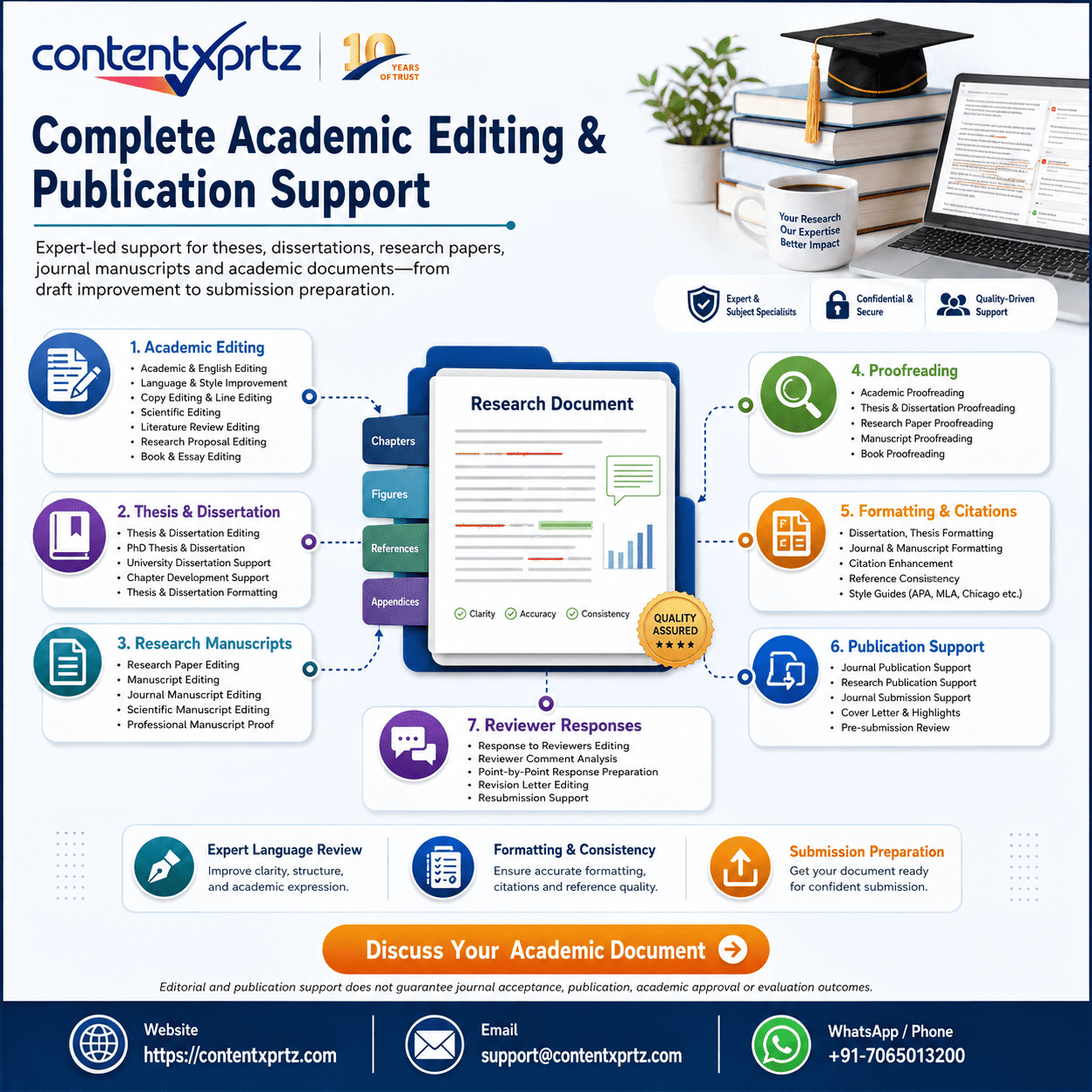
An automated report is most useful when it leads to a careful human review. Contentxprtz can support authors who need help with patchwriting, citation consistency, academic language, or publication-readiness after a similarity check.
The aim is ethical improvement, not score manipulation. Editors can flag wording that remains too close to a source, improve clarity while preserving the author’s meaning, review citation presentation, and help strengthen transitions and synthesis. For theses and dissertations, the permitted level of third-party editing should always be checked against university policy. For journal manuscripts, authors remain responsible for the research, claims, data, sources, and final submission.
If a report has revealed broader language or structure issues, consider manuscript assessment or ethical plagiarism-risk support rather than repeatedly rewriting isolated phrases without understanding the underlying problem.
Summary: Doc Plagiarism Checker
A doc plagiarism checker can be an effective quality-control step for Word documents when it is used as a diagnostic tool rather than a score-chasing device. Upload only through a service whose privacy and repository terms are appropriate for your document. Then inspect meaningful source matches, verify citations, quote accurately, paraphrase from understanding, and investigate self-matches or repository effects before changing good writing.
The strongest final document is not necessarily the one with the lowest similarity percentage. It is the one in which the author’s contribution is clear, borrowed material is transparent and traceable, citations are accurate, and the writing complies with the relevant academic or publication policy.
Frequently Asked Questions
What is a doc plagiarism checker?
A doc plagiarism checker is a similarity-checking tool or service that accepts a Microsoft Word document, usually a .doc or .docx file, and compares its text with available sources. The report typically highlights matching passages and identifies possible source links or repositories. It is important to distinguish similarity from plagiarism: a match can come from a correctly quoted sentence, a reference entry, a standard phrase, or previously submitted work. The checker provides evidence for review; it does not decide whether academic misconduct occurred. For a useful check, upload the final or near-final Word file, review every substantial match, verify whether borrowed ideas and wording are cited correctly, and revise only where the writing genuinely needs correction. Students and researchers should also check their institution or journal rules before uploading unpublished material, especially when the platform stores submitted documents. A responsible workflow combines the similarity report with human judgment, citation checking, and careful comparison with the original sources.
Can I check a DOC or DOCX file for plagiarism online?
Yes. Many similarity-checking systems accept Microsoft Word formats such as DOC and DOCX, although supported file types, size limits, privacy terms, and database coverage differ by provider. Before uploading, confirm that the service can read the document correctly and that tables, footnotes, equations, references, or tracked changes will not distort the report. For academic work, privacy is especially important: a thesis draft, confidential dataset description, unpublished manuscript, or client document should not be uploaded to an unknown website merely because it advertises a free check. Read the storage and retention policy and determine whether the document will be added to a repository. If your university provides an approved checking system, that is often the safest route because the institution can explain how drafts and resubmissions are handled. After the report is generated, inspect the matched text instead of treating the percentage as a pass-or-fail score.
Does a high similarity score always mean plagiarism?
No. A high similarity score means that a larger proportion of the submitted text matches material found in the checker’s comparison sources; it does not automatically prove plagiarism. Correctly quoted passages, a long reference list, common methodological wording, assignment templates, legal language, standard definitions, or a previously submitted version of the same work can all increase similarity. Turnitin explicitly explains that its similarity score is a measure of matched text rather than a determination of plagiarism. The right response is to open the report, inspect the largest and most meaningful matches, and ask whether the source is acknowledged, whether quotation marks are needed, whether paraphrasing is genuinely independent, and whether the citation is complete. A low score also does not prove that a document is ethically sound. Missing citations, idea plagiarism, fabricated references, contract cheating, or copied material outside the checker’s databases may not produce a high percentage.
What similarity percentage is acceptable for a thesis or research paper?
There is no universal similarity percentage that is automatically acceptable for every thesis, dissertation, assignment, or journal manuscript. Universities, departments, supervisors, journals, and publishers may use different thresholds or may avoid fixed thresholds altogether. More importantly, the meaning of a score depends on what produced the matches. Ten percent concentrated in one uncited source can be more serious than twenty percent spread across correctly quoted text, references, terminology, and standard methods language. Treat any institutional percentage as a screening rule, not as a substitute for academic judgment. Review the source-by-source report, examine the location and nature of each match, and follow the written policy of the university or target journal. If a supervisor or editor has set a threshold, ask whether references, quotations, small matches, or previously submitted material are excluded. The objective should be correct attribution and original scholarly contribution, not manipulating the report to reach a particular number.
How can I reduce similarity in a Word document ethically?
Reduce similarity by improving attribution and original expression, not by mechanically replacing words. Start with the largest matched passages. If you used the exact wording of a source, either quote it accurately when quotation is appropriate or rewrite the idea from your own understanding and cite the source. A proper paraphrase changes the sentence structure, emphasis, and wording while preserving the source meaning; swapping a few synonyms is not enough. Then check whether citations are attached to the exact claims they support and whether every in-text citation has a corresponding reference entry. Remove accidental duplication, repeated template language, and copied notes that were left in the draft. In methods sections, some conventional terminology may be unavoidable, so prioritize clarity and accuracy rather than unnatural rewriting. Do not use text spinners, hidden characters, image-based text, or other tactics designed to deceive similarity systems. Those methods undermine academic integrity and may introduce errors.
Can a plagiarism checker detect paraphrased plagiarism?
Some modern systems can identify forms of semantic or paraphrased similarity, but no checker can reliably detect every case of copied ideas or disguised wording. Traditional similarity detection is strongest when wording overlaps with indexed sources. More advanced systems may flag altered phrasing or unusual patterns, yet their results still require human review. This is why authors should not assume that a low score means every borrowed idea has been acknowledged. If a concept, argument, dataset, method, interpretation, or distinctive framework came from another source, cite it even when you have expressed it entirely in your own words. Ethical paraphrasing begins with understanding the source, setting it aside, writing the idea independently, comparing for accuracy, and then adding a citation. A checker can support that process by revealing suspicious overlap, but it cannot replace scholarly reading or responsibility for attribution.
Should references and quotations be excluded from a similarity report?
They can sometimes be excluded for interpretation, but the decision should follow the purpose of the check and the settings approved by the institution. Reference lists and correctly marked quotations naturally contain text that also exists elsewhere, so excluding them can help an instructor or author focus on potentially problematic body text. However, exclusions should not be used to hide copying or to manufacture a lower percentage. First view the full report so you understand what is matching. Then, where the platform allows it, apply quotation, bibliography, or small-match filters to see how the pattern changes. Keep in mind that different systems and assignments handle exclusions differently. If a university or journal requires a particular report configuration, use that configuration rather than creating a more favorable one. The goal is to understand the writing accurately, not to optimize a number.
Is it safe to upload an unpublished thesis to a free plagiarism checker?
Not automatically. An unpublished thesis can contain original ideas, confidential information, personal data, embargoed results, or material intended for later journal publication. Before uploading it to any free plagiarism checker, read the platform’s privacy policy, data-retention terms, repository rules, and intellectual-property conditions. Determine whether the service stores the full document, uses it to improve products, shares it with third parties, or adds it to a comparison database. If those terms are unclear, avoid uploading sensitive work. University-approved systems are usually preferable because institutional administrators can explain repository settings and resubmission effects. You can also test a short non-sensitive extract when you only need to understand how a tool works. For publication manuscripts, check coauthor, funder, employer, and journal requirements before sending unpublished content to an external service.
Why does my own previous draft appear as a match?
A previous draft may appear as a match if it was stored in the checker’s repository or submitted through an institutional system. When the revised version is checked later, the system can recognize substantial overlap with the earlier submission because much of the text is legitimately the same. This can produce a very high similarity score even though the author is comparing the document with their own prior version. Do not rewrite a sound paper merely to defeat self-matching. Instead, identify the matched repository source and ask the instructor, administrator, or platform support team how draft submissions are configured. Some systems let instructors exclude a prior submission or use draft assignments that do not permanently store work. If the earlier document was publicly published, self-reuse may still require citation or disclosure depending on the context. Publication ethics rules about text recycling differ from ordinary classroom draft resubmission, so the relevant policy matters.
When should I get professional help after using a doc plagiarism checker?
Professional support is useful when the report reveals complex citation problems, extensive patchwriting, unclear paraphrases, inconsistent references, or language issues that make ethical revision difficult. The appropriate support should improve clarity and attribution while preserving the author’s ideas and responsibility. An editor can flag passages that are too close to a source, check whether quotations and citations are presented consistently, improve sentence structure, and help the author distinguish common knowledge from claims that need references. The editor should not invent sources, disguise copied text, fabricate originality, or promise a guaranteed similarity score. Contentxprtz offers plagiarism-risk and academic editing support for authors who want a careful human review after automated checking. Students should confirm what level of editing their university permits, and journal authors should follow publisher policies on third-party editing and disclosure. The final decisions, citations, research claims, and submission remain the author’s responsibility.
Conclusion: Use Similarity Checking to Improve Scholarship, Not Hide It
A Word-document checker is valuable when it makes source use easier to inspect. It can reveal copied wording, patchwriting, overlooked quotations, self-matches, and citation patterns that deserve attention. But it cannot replace scholarly judgment or author responsibility.
Before submission, focus on transparent attribution, authentic references, accurate paraphrasing, and the rules that apply to your institution or publisher. When the report is complex, ethical Contentxprtz plagiarism and integrity support can provide a careful second review without promising an artificial “perfect” score.